What Is Smart Home Electronics Design and How Does It Work?
Smart Home Electronics Design is the process of creating connected devices and systems that make homes more responsive, efficient, and manageable. It brings together electronics, embedded software, sensors, wireless communication, user interfaces, and security. A motion sensor may switch on a hallway light, while a thermostat adjusts heating based on a room’s temperature. These actions look simple. Making them reliable requires careful coordination between hardware, software, networks, and people.
Market growth raises the stakes. IDC’s 2024 Worldwide Smart Home Device Tracker forecast global shipments of 892.3 million devices in 2024, with shipments projected to reach 1.1 billion by 2028. These are forecasts, not confirmed outcomes, but they point to a rapidly expanding design challenge. Devices must work across different home networks and remain useful after installation. Industry efforts such as the Connectivity Standards Alliance’s Matter standard aim to improve interoperability, though compatibility is not always effortless. That gap matters. A connected lock, speaker, or light can frustrate users when setup is confusing or updates disrupt familiar routines.
This article explains how smart home electronics are planned, built, and connected. It explores sensors, processors, communication protocols, power management, and companion apps. It also examines practical design choices, including privacy, cybersecurity, accessibility, and long-term support. No single product solves every household’s needs. Good design starts with real tasks, such as checking a door from the kitchen or dimming lights without crossing a dark room. The technology should serve the home, not make daily life harder.
What Smart Home Electronics Design Encompasses
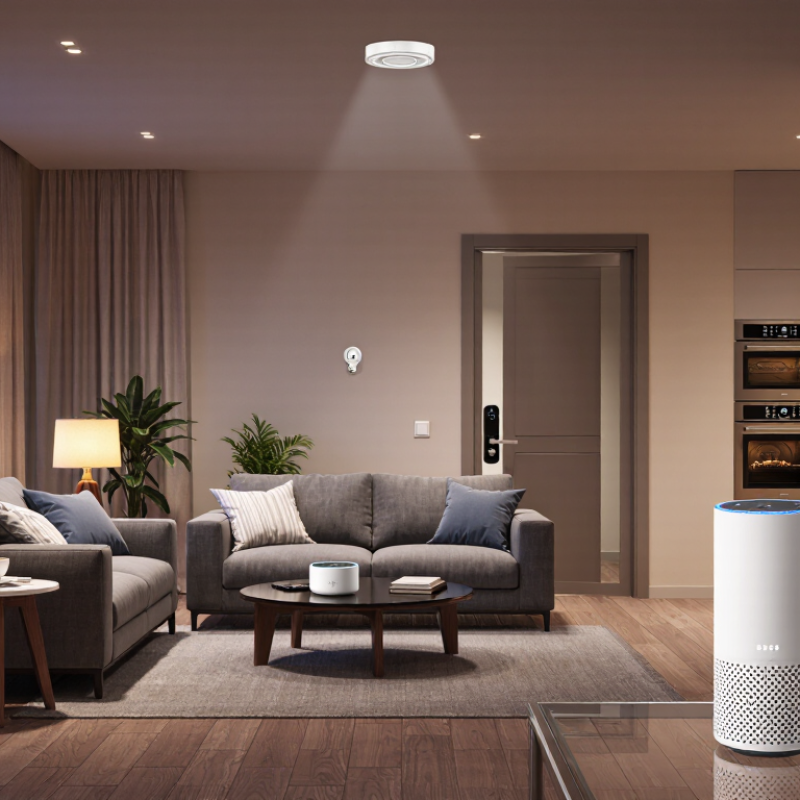
Smart home electronics design covers the devices, circuits, and software that let household systems respond to people and conditions. It may include temperature sensors, motion detectors, smart switches, lighting controls, and a central controller. Each part needs suitable power, dependable connections, and clear ways to exchange information. A sensor near a sunny window, for example, may read warmer than the rest of the room. Placement matters.
The design also defines how devices communicate and what happens when a connection fails. A thermostat should still offer basic manual control if the network drops. Short status lights or a simple wall control can make a system easier to understand. Small details matter. Designers consider electrical safety, heat, battery life, data protection, and future software updates. They also test devices in real homes, where thick walls, noisy appliances, and changing routines can expose problems that a clean lab misses. A setup may work perfectly on paper and still confuse someone trying to turn off a hallway light at night. That gap is worth noticing. Good design balances convenience with reliability, while leaving people understandable controls over what their devices sense and share.
Core Components of a Smart Home System
A smart home system is built from devices that sense, communicate, and respond. Sensors detect changes such as a door opening, room temperature rising, or motion near a hallway. A controller, sometimes a dedicated hub or built into another device, coordinates these signals. The network connects components through wired links or wireless protocols; dependable coverage matters more than raw speed for many simple tasks. If a signal drops in a distant room, an automation may respond late. Small details count.
Actuators turn instructions into action: a relay switches a light, a motor adjusts a blind, or a valve changes water flow. Residents manage these devices through switches, touchscreens, or a phone interface, while software defines rules such as turning on entry lights after motion is detected at night. Keep it simple. Power, updates, and access controls are also core parts of the design, not afterthoughts. A useful system should keep essential controls understandable when the network is unavailable. In practice, setup can be uneven: sensors may need repositioning, and two devices may interpret the same rule differently. Testing each routine in the actual room often reveals what a neat diagram misses.
How Smart Home Devices Communicate and Work Together
Smart home electronics design depends on devices sharing clear signals, not simply adding wireless features. A door sensor may detect an opening, then send a message through Wi-Fi, Thread, or another supported network. A hub or controller can interpret that event and trigger a light, speaker, or thermostat. That matters. The response may happen locally or through an internet service, depending on the system’s design.
Tips: Check which communication standards your devices support before combining them. Keep the router or hub in an open, central place. Test one simple routine, such as turning on a hallway light when a sensor detects movement. If it lags, check signal strength and automation settings.
Devices do not always work together perfectly. Thick walls, busy wireless networks, and incompatible standards can delay commands or prevent pairing. Many systems use a shared platform or hub to coordinate devices, while newer designs may allow compatible products to communicate directly. Review privacy and update settings, too; connected devices handle information about activity at home. A practical setup starts small, uses reliable network coverage, and leaves room for occasional troubleshooting.
Steps in Designing a Smart Home Electronics System
What Is Smart Home Electronics Design and How Does It Work?
Designing a smart home system starts with people, not products. Map daily routines room by room: a hallway sensor can switch on a night light, while a door contact can trigger an alert. Record what should happen, when it should happen, and what the system should do during an internet outage. Small details matter. A tidy diagram can still miss how a family actually moves through its home.
Next, plan the system’s wiring, power, network coverage, and device placement. Check that components can communicate and that critical functions work locally when possible. The U.S. Department of Energy reports that setting a thermostat back 7–10°F for eight hours daily can save up to 10% a year on heating and cooling. That is an estimate, not a guarantee; insulation, climate, and household habits affect results. Test sensors from real positions, including behind doors and near windows.
Build security into the design. NISTIR 8259A identifies six core cybersecurity capabilities for IoT devices, including secure configuration, data protection, controlled access, and software updates. Plan who can change settings, how updates will be applied, and which devices need network access. Then test everyday scenarios: a lost connection, a low battery, or a false motion alert. Test it. Record what failed, revise the layout, and test again; the first design may be imperfect.
What Is Smart Home Electronics Design and How Does It Work? - Steps in Designing a Smart Home Electronics System
| Step | Design Activity | Electronics and Systems | Key Design Considerations | Typical Output |
|---|---|---|---|---|
| 1. Define needs | Identify the rooms, routines, accessibility needs, and tasks the system should support. | Lighting, heating and cooling, entry sensors, leak detection, alarms, and user controls. | Prioritize useful functions, household habits, budget, and what should continue working without internet access. | Requirements list and room-by-room use cases. |
| 2. Survey the home | Map rooms, existing wiring, network coverage, device locations, and potential interference or dead zones. | Wi-Fi access points, wired Ethernet where available, sensor locations, electrical circuits, and control panels. | Radio signals can be weakened by distance, walls, metal, and building materials. Check power availability and installation constraints. | Floor plan with proposed device and network locations. |
| 3. Choose the architecture | Decide how devices communicate and where automation rules are processed. | A local controller or hub, IP network, device radios, and optional cloud services. Common options include Wi-Fi, Thread, and Zigbee; Matter can support interoperability across compatible products. | Consider compatibility, range, power use, latency, network congestion, local control, and how devices are commissioned and updated. | System block diagram and communication plan. |
| 4. Select sensors and actuators | Match each intended function to devices that can measure conditions or perform actions. | Temperature and humidity sensors, motion or contact sensors, light sensors, relays, dimmers, smart valves, and motor controls. | Check measurement range, placement, response time, battery life, load ratings, and whether a device requires neutral wiring or a specific control interface. | Device schedule with locations, power requirements, and functions. |
| 5. Design power and wiring | Plan power distribution, battery-powered devices, cable routes, and backup requirements. | Mains-powered controllers and actuators, low-voltage supplies, batteries, and optional uninterruptible power for network equipment. | Separate low-voltage and mains wiring appropriately. Electrical work must follow local codes and be performed by qualified professionals where required. | Power budget, wiring plan, and installation requirements. |
| 6. Plan automation and interfaces | Define how sensor readings, schedules, and user commands trigger device actions. | Rule engine, wall controls, mobile interface, voice interface where supported, and manual overrides. | Use clear conditions, sensible timeouts, and safe defaults. Avoid conflicting rules and preserve basic manual operation. | Automation rules, interface flows, and fallback behavior. |
| 7. Build a prototype | Connect a small set of representative devices and test core functions before installing throughout the home. | One controller, a few sensors, representative actuators, and the intended network connection. | Verify pairing, coverage, response time, sensor accuracy, recovery after power loss, and behavior when internet access is unavailable. | Test results and revised system design. |
| 8. Install and configure | Install devices, label circuits and equipment, connect the network, and configure rooms and automations. | Sensors, switches, controllers, network equipment, and supported firmware and application settings. | Follow installation instructions, secure devices and accounts, use unique credentials, and enable updates where practical. | Installed, named, and commissioned system. |
| 9. Test security and reliability | Check normal operation, failure cases, access permissions, and data handling. | Network settings, account controls, encrypted connections where supported, device logs, and backup configuration. | Test lost connectivity, low batteries, failed sensors, and manual overrides. Limit access to only the people and services that need it. | Security checklist and verified recovery procedures. |
| 10. Maintain and improve | Review performance and user feedback, replace batteries, update software, and adjust rules as needs change. | Device status, battery indicators, software updates, configuration backups, and event history where available. | Keep a device inventory, review permissions periodically, and test critical alerts and controls after major changes. | Maintenance schedule and updated system documentation. |
A smart home electronics system combines sensors, controllers, communication networks, and actuators so that devices can respond to measurements, schedules, and user commands.
Security, Power, and Compatibility Considerations
Smart home electronics design connects sensors, controllers, network links, and household devices so they can respond to people and changing conditions. A door sensor might switch on a hallway light, while a leak sensor sends an alert. Security takes more than a strong password. Use unique credentials, enable multi-factor access when available, install software updates, and consider separating smart devices from computers on your home network. Power planning matters too. Check each device’s voltage and power draw, and avoid overloading outlets or adapters. A brief outage may reset schedules or leave a sensor offline. That’s frustrating.
Tips: Place the hub in a central, ventilated spot, label cables, and test alerts with doors closed and lights dimmed. Before buying, check whether devices use compatible wireless standards and support the functions you need. A connection symbol alone does not guarantee that routines or controls will work as expected.
During setup, test each device in the room where it will be used. A signal that works beside the router may fail through a thick wall. Keep a simple record of device settings and power requirements. I would not assume every feature is essential; extra automation can make troubleshooting harder. A simpler system is often easier to maintain.